

How to Spot Fake Discounts in Online Shopping
Contents
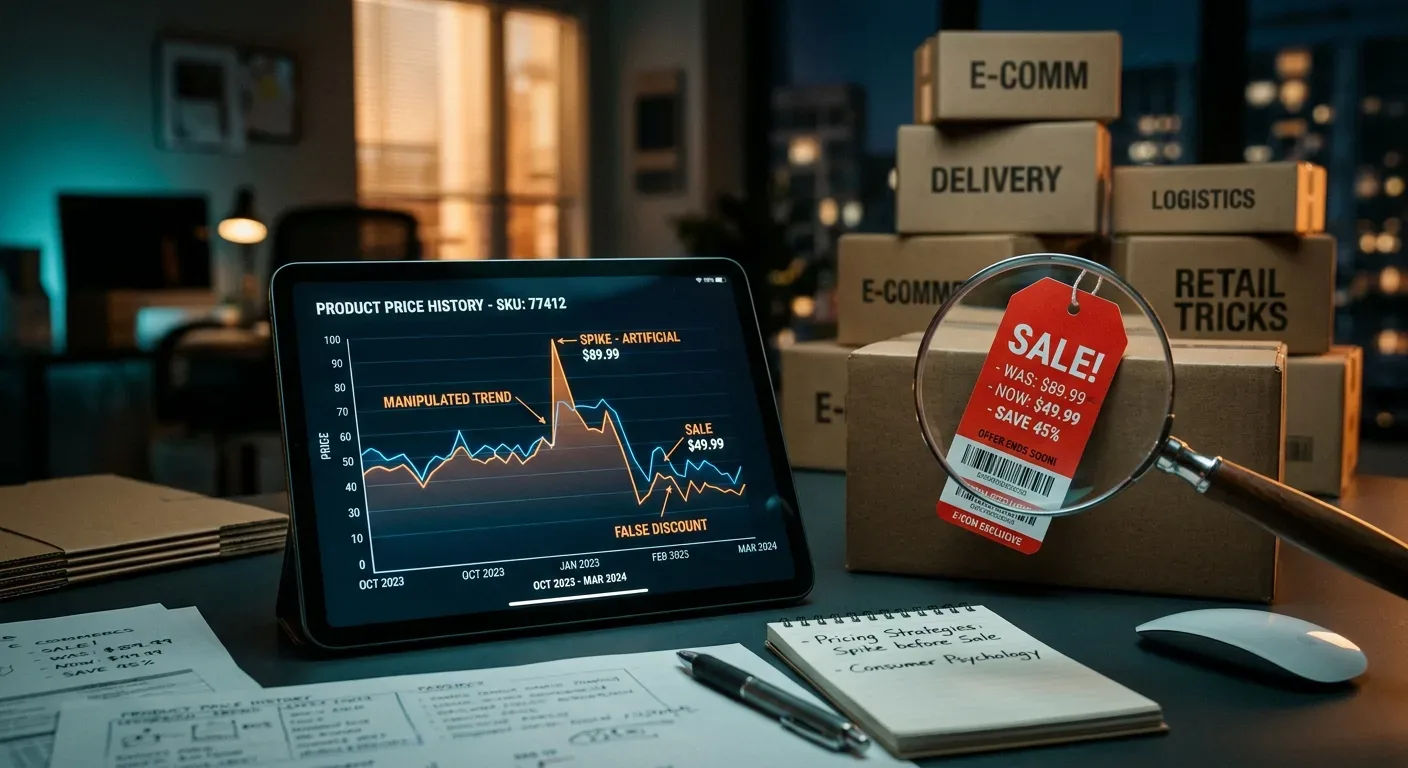
During seasonal sales, online retailers often advertise large markdowns to attract buyers. Many strikethrough list prices, however, are raised shortly before the promotion begins. Understanding discount rules and checking past prices makes it easier to tell real deals from misleading markups.
The baseline reference rule
Trade and consumer regulations define how sellers can calculate and advertise price drops:
- Prior lowest price requirement: Sellers advertising a discount must calculate the drop from the lowest price offered within the previous 30 days.
- Burden of proof: The seller must be able to prove that the product was actually sold or offered at the reference price during that 30 day window.
- Checkout price differences: If the price shown on the product page differs from the price at checkout, the lower price favorable to the consumer applies.
How to check historical price trends
Discount tags such as "50% off" do not mean much on their own. To see whether a price actually dropped, check its recent history:
- Use price trackers: Browser extensions and tracking websites show a product's historical price chart over three to six months.
- Track prices in advance: If you plan to buy during a known sale, note or screenshot the prices a few weeks beforehand.
- Find the baseline range: Look at what the product sold for over several normal weeks to confirm that the sale price sits below the usual range.
Common deceptive discount tactics
Sellers use several simple methods to make regular prices look like discounts:
- Pre-sale price spikes: Raising a $100 product to $200 right before a sale, then marking it down to $100 as a "50% discount."
- Listing MSRP as a deal: Showing the standard suggested retail price as a strikethrough discount, even if no retailer ever charges that amount.
- Artificial urgency: Using counters like "Only 2 left in stock" or short countdown timers that reset repeatedly to rush purchases.
- Mismatched variants: Advertising a major discount on a product page where the low price only applies to an older, lower-spec, or discontinued version.
Comparing prices across retailers
Check alternatives before buying from one storefront:
- Search the exact model number to see what other stores and authorized distributors charge.
- Look at the total checkout cost, including delivery fees, taxes, and coupon deductions, rather than just the listing price.
- Check whether the advertised discount requires a paid membership program before you reach checkout.
Where to report misleading discounts
When you encounter deceptive pricing, you can report it or open a dispute:
- Save the evidence: Take dated screenshots of the product listing, the strikethrough price, and any earlier records showing the lower price.
- Contact the seller: Ask customer service in writing to honor the lower advertised rate.
- File a consumer complaint: Submit your screenshots and order details to your local consumer protection board, advertising standards agency, or small claims body.
Related posts
How to Check Current Diesel Fuel Discounts and Gas Prices
Track current diesel discounts, pump prices, and regional fuel rates through distributor websites and comparison platforms.